 (Enlarge image)
The challenge
Email and intranet do not reach everyone in time.
Conventional channels
- Emails are overlooked in full inboxes
- Intranet pages have to be opened actively
- Time-critical notices arrive late
- Recipient groups can only be narrowed down roughly
With DeskNotify
- Messages appear on the desktop without user action
- Recipients are defined as users or groups
- Publication and expiration are scheduled
- Read messages remain available in the history
How it works
From message to display in four steps.
Create message
Department admins enter title, sender, and text, optionally based on a template, and choose a color for the bar.
Select recipients
Recipients are individual users, DeskNotify groups, or linked Active Directory groups.
Set time period
Publication and expiration times determine when the message is displayed.
Display and history
The message appears in the recipients' notification bar. Messages marked as read move to the history.
Features
Features at a glance.
Notification bar
The bar docks to the edge of the screen and, like the Windows taskbar, reserves its own space. Position, height, and font size are adjustable.
Targeted recipients
Messages are addressed to individual users, DeskNotify groups, or linked Active Directory groups. Memberships are read directly from the directory.
Scheduling
Each message has a publication and an expiration time. Expired messages are deleted automatically after a configurable retention period.
Templates and colors
Recurring texts are saved as templates. Centrally maintained color presets mark messages in the bar.
Searchable history
Read messages are kept in the history and can be searched by title, text, or sender.
Permissions via groups
The permissions “Manage messages” and “Manage groups” are assigned through groups. Users without these permissions only see the bar, history, and settings.
Screenshots
Views from the application.
The screenshots show the DeskNotify interfaces for users and department admins.
(Enlarge image)Notification bar
Active message in the bar at the edge of the screen.
 (Enlarge image)
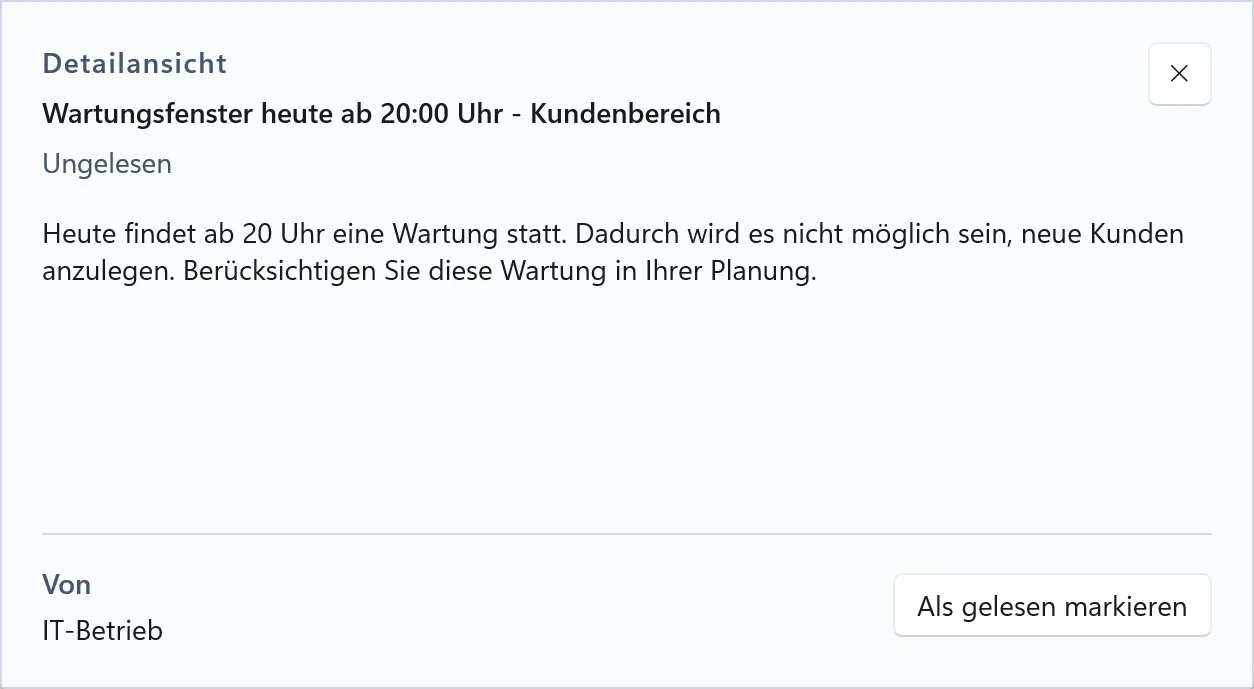
Message detail view
Full message text with sender and the “Mark as read” action.
 (Enlarge image)
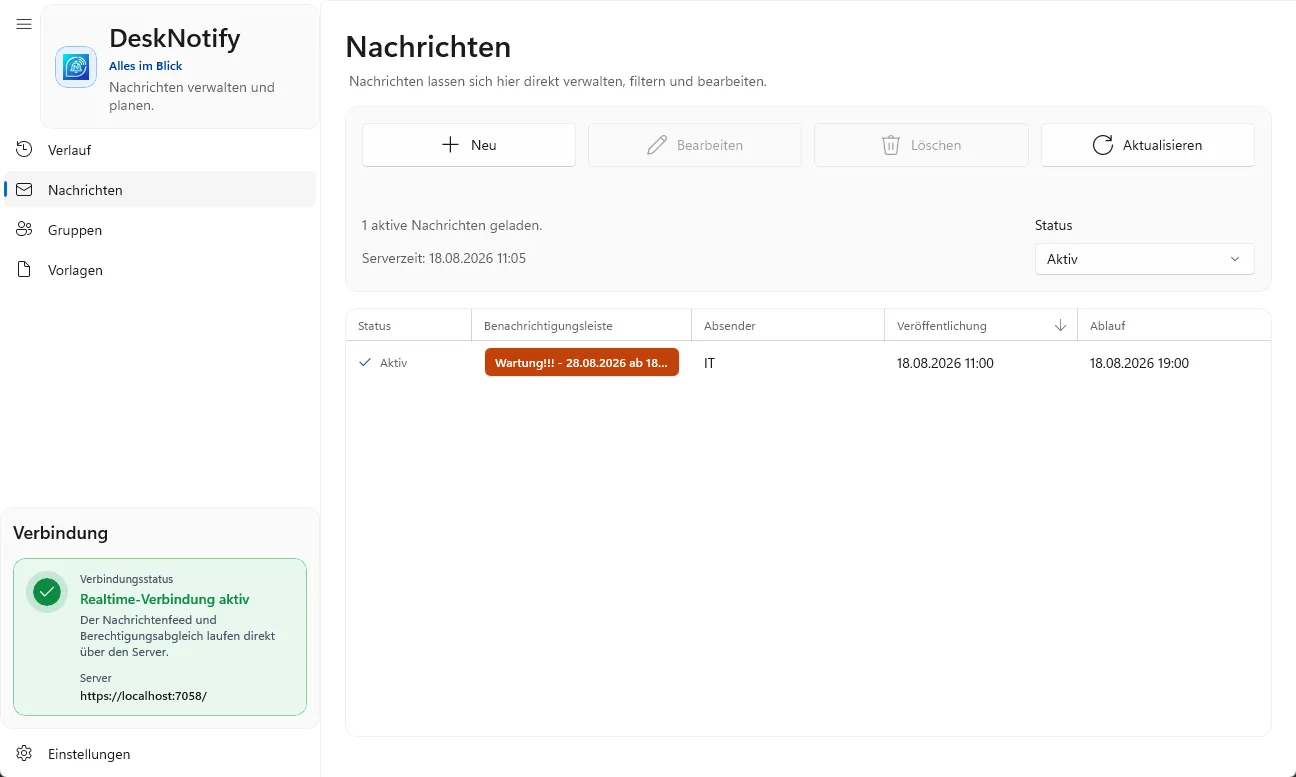
Message overview with status filter
 (Enlarge image)
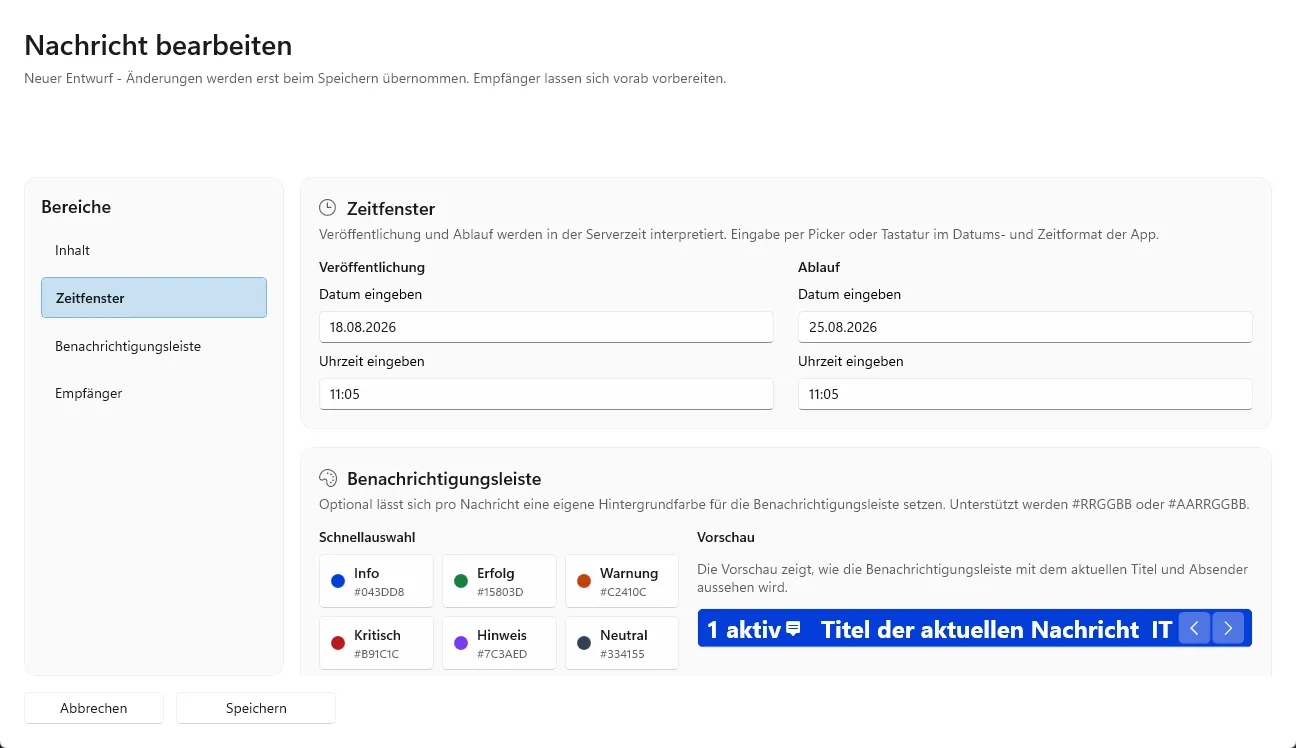
Set time window and color
 (Enlarge image)
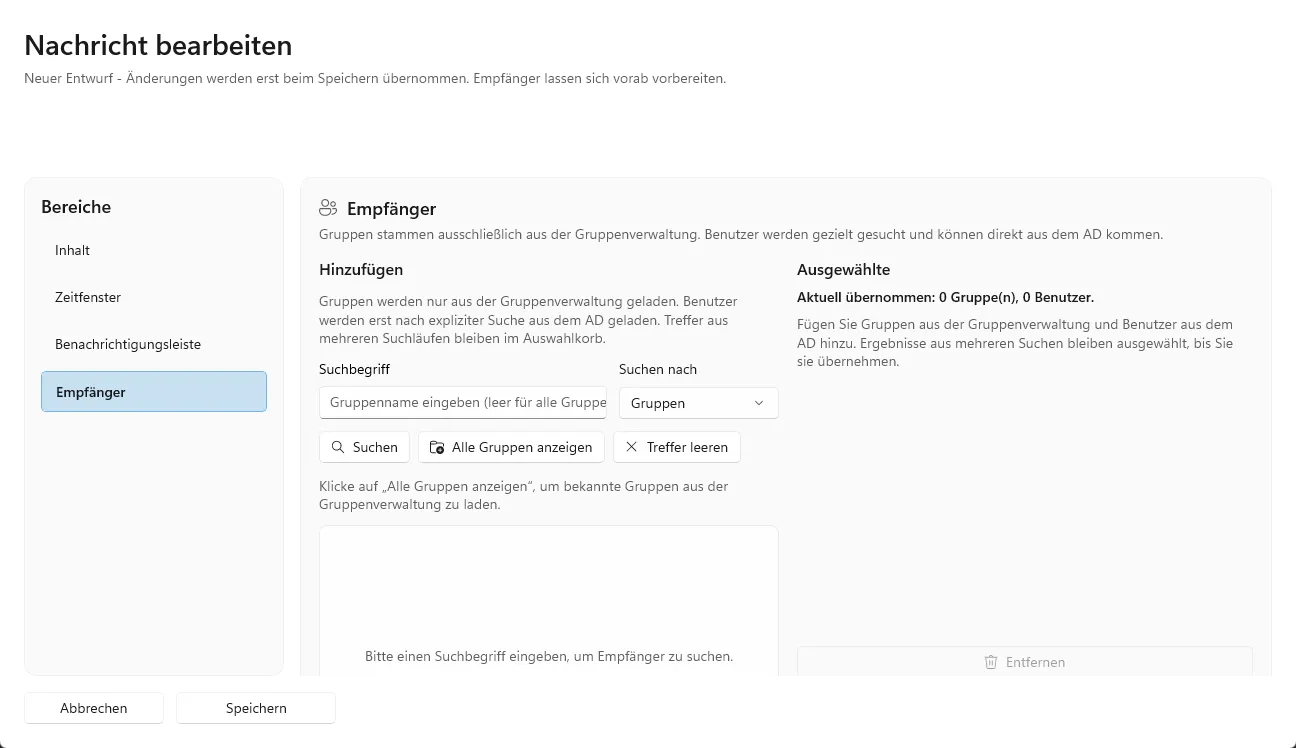
Select recipients
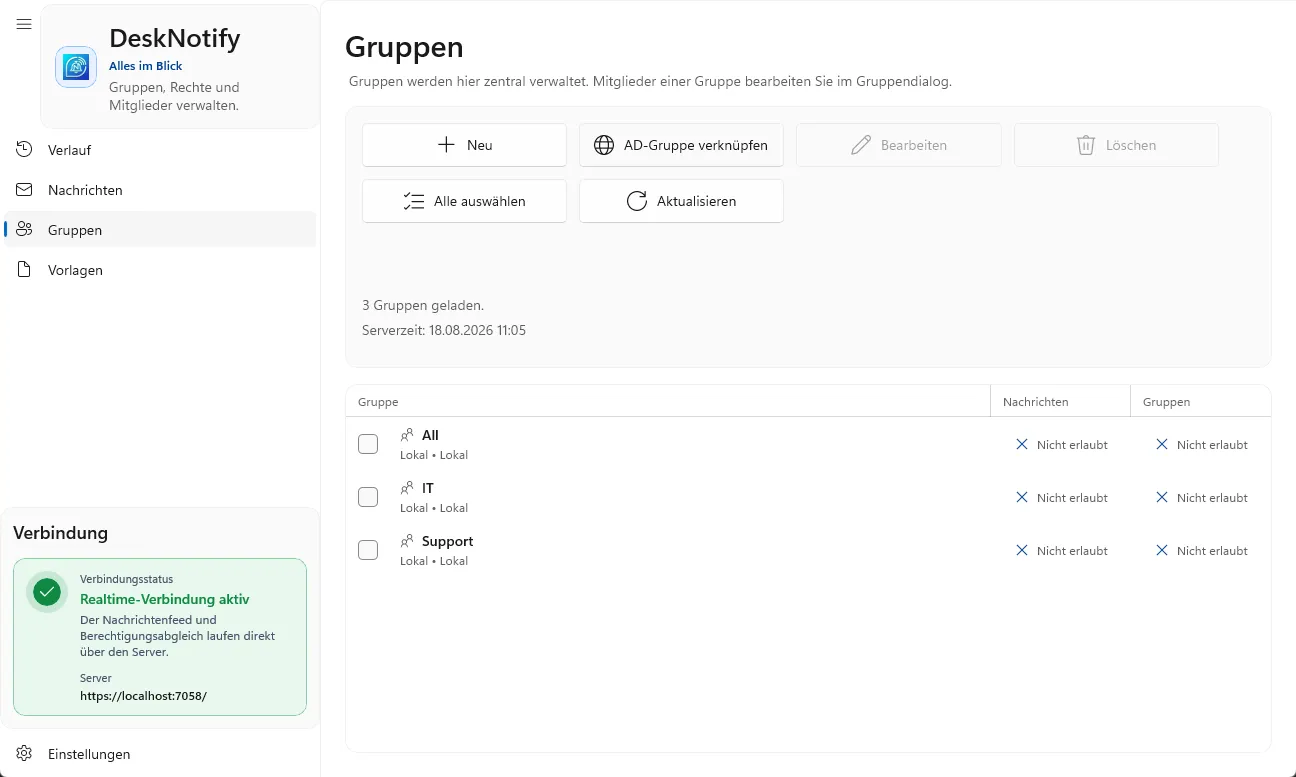 (Enlarge image)
Manage groups and permissions
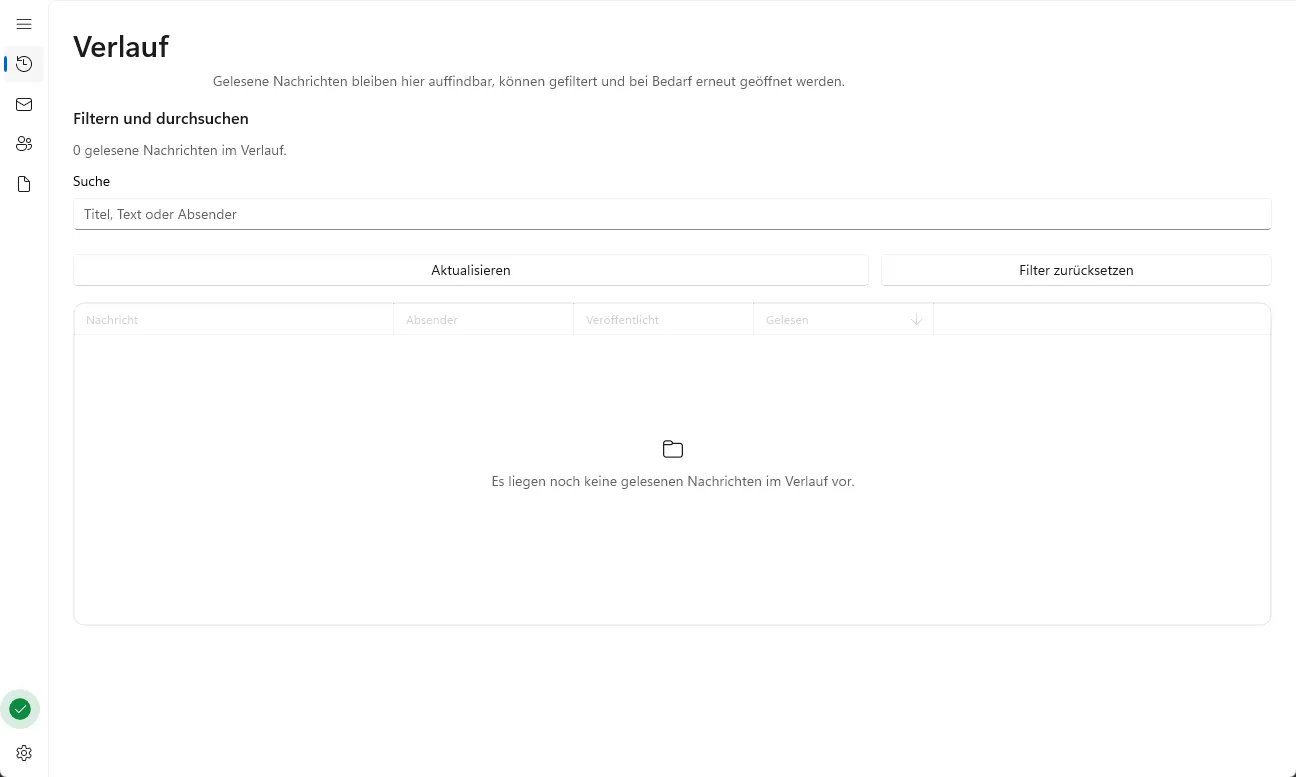 (Enlarge image)
Searchable history
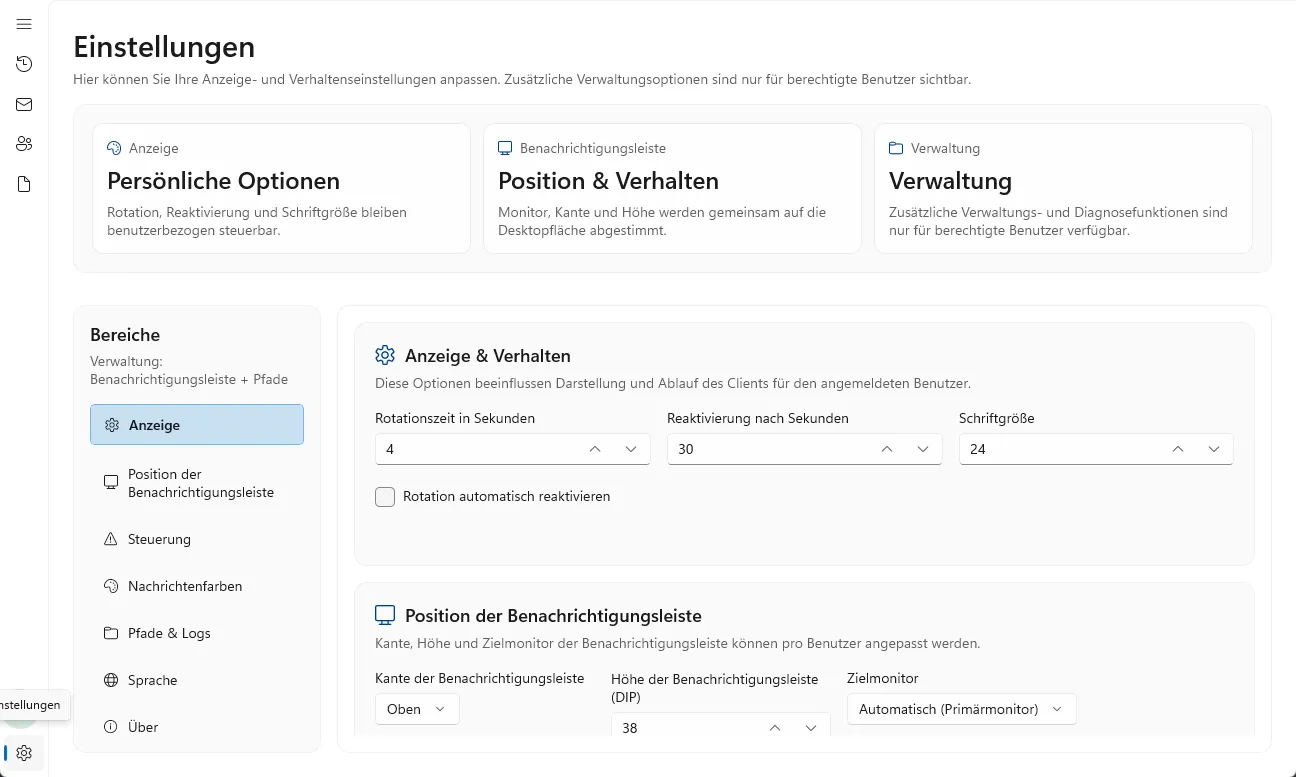 (Enlarge image)
Bar position and display
Operations
Installed and operated in your own network.
DeskNotify consists of a server and a Windows client. Both are installed in your environment; no external cloud is involved.
- Server as a Windows service with its own installer
- Client installers for Windows x64 and ARM64
- Sign-in with the Windows account, no additional password
- Active Directory integration via LDAP
- Real-time delivery, alternatively via periodic polling
- Planned: clients for macOS and Linux, sign-in via OIDC and Microsoft Entra ID
Pricing
Licensing based on active clients.
The price depends on the number of actively used Windows clients. Maintenance and support are billed annually.
Smaller environments
from EUR 4,900
EUR 1,190/year maintenance and support
- Standard license
- Updates during the maintenance term
- Support via email
- One remote onboarding session for admins
Regular rollouts
from EUR 9,900
EUR 2,980/year maintenance and support
- Everything in Starter
- Priority support
- Assistance with AD and permission configuration
- Onboarding for multiple admins
Larger organizations
custom
Maintenance and services by agreement
- Individually agreed operating model
- Rollout support
- Onboarding services as required
- Service packages by agreement
FAQ
Frequently asked questions.
What is DeskNotify?
DeskNotify is internal communication software for Windows workstations. Messages are created centrally and appear in a notification bar at the edge of the recipients' screens.
What kind of organizations is DeskNotify designed for?
For organizations with Windows workstations that send notices such as maintenance windows, outages, or organizational announcements to specific employees.
Does DeskNotify replace email or intranet?
No. DeskNotify complements email and intranet for short, time-critical notices that need to be seen without delay.
Can messages be sent to specific groups?
Yes. Recipients can be individual users, DeskNotify groups, and linked Active Directory groups. For Active Directory groups, direct memberships are taken into account.
What happens to read messages?
Messages marked as read disappear from the bar and remain available in the history. After expiration and a configurable retention period, they are deleted automatically.
Is DeskNotify cloud-hosted or run on-premises?
On-premises. The DeskNotify server runs as a Windows service in your environment, and clients connect directly to it. No external cloud is required.
How do users sign in?
With their signed-in Windows account. No separate user account or password is required. Sign-in via OIDC and Microsoft Entra ID is planned.
Which platforms are supported?
The client runs on Windows (x64 and ARM64), the server as a Windows service. Clients for macOS and Linux are planned.
How much does DeskNotify cost?
Starter from EUR 4,900 for up to 100 active clients, Business from EUR 9,900 for up to 500 active clients, Enterprise on individual quote. Maintenance and support are billed annually. All prices exclude applicable VAT.
Is there support for deployment and operations?
Yes. On request, we support installation, configuration, pilot operation, and rollout as a separate service.
Contact
See DeskNotify in a demo.
In a demo, we show the application and answer questions about installation, Active Directory integration, and licensing.